The Best AI Tools for People Over 50 in 2026: Alexa, ChatGPT, and What's Actually Worth Your Time
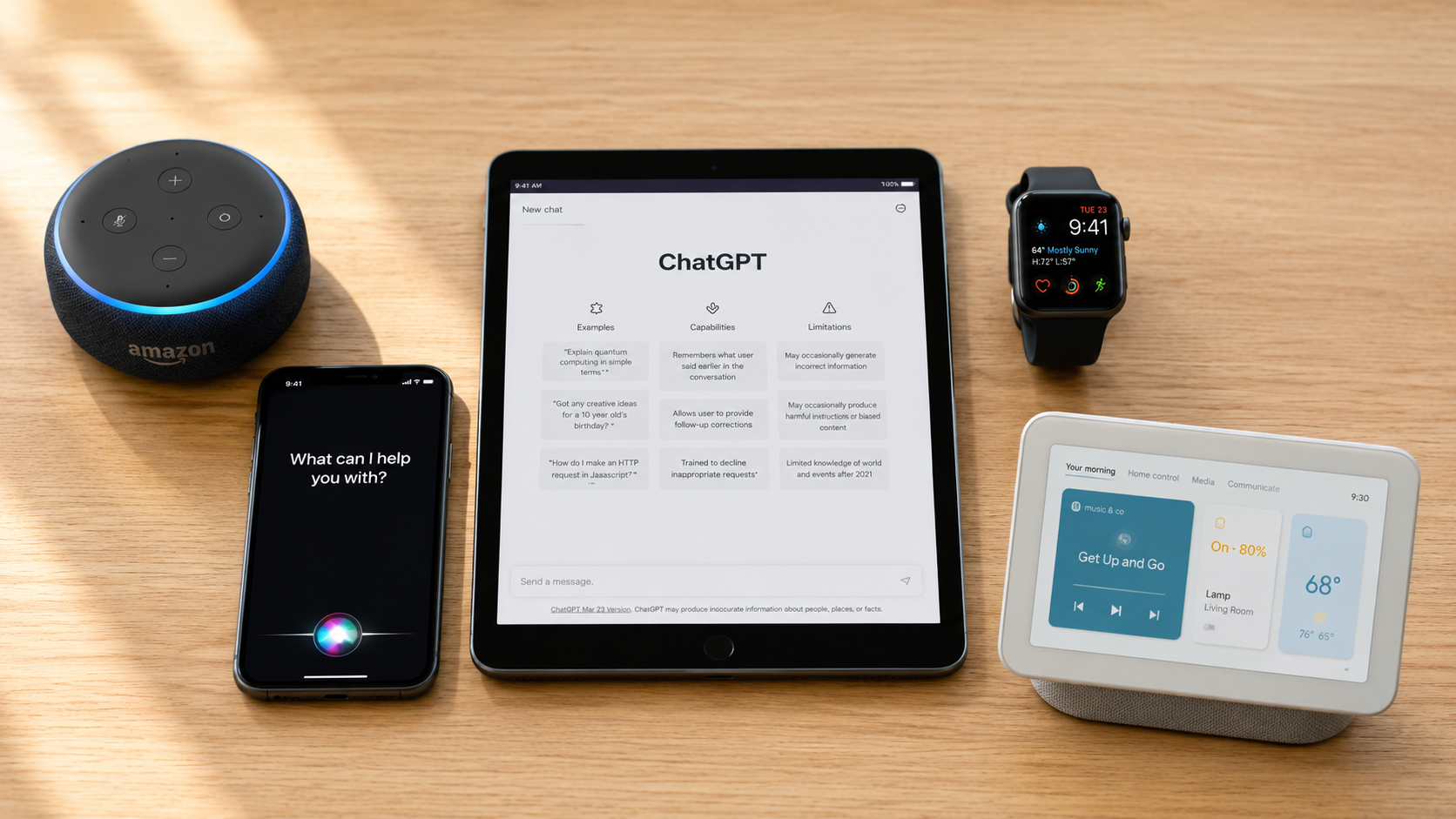
Let's be honest about something.
Every week there's a headline announcing "the next big AI tool." There are hundreds of AI apps available, hundreds of YouTube tutorials, and approximately one million opinions about which one is best.
If you're over 50, you don't have time for any of that. You want to know: which tools are actually useful, which ones are trustworthy, and which ones you can safely ignore.
That's exactly what this post is.
We've done the research — and we've applied a simple filter: does this tool actually solve a real problem that matters to someone living a full life after 50? If it doesn't pass that test, it's not in this list.
Here's what made the cut.
How to Read This Guide
For each tool, you'll find:
What it actually does in plain English
Who it's best suited for
Cost (most are free or low-cost)
The honest trade-off
A Fogey Freedom Rating — our simple assessment of ease, usefulness, and trustworthiness
Tool #1: Amazon Alexa (Echo Devices)
What it actually does: Alexa is a voice assistant that lives inside Amazon Echo smart speakers or Echo Show screens. You talk to it. It talks back. No typing required.
What people over 50 are using it for:
Setting medication reminders and daily alarms
Asking for the weather, news headlines, and sports scores
Playing music, audiobooks, and radio stations by voice
Controlling lights, thermostat, and home security with voice commands
Calling family members hands-free
Setting timers while cooking
Getting answers to quick questions ("Alexa, what's the capital of Portugal?")
What the research says: Among adults over 50 who use voice assistants like Alexa, 80% say these devices are beneficial for helping them live independently and safely at home, including 28% who called them "very beneficial." (University of Michigan National Poll on Healthy Aging, 2025)
Cost: The device itself runs $30–$120 depending on model. The service is free once you own the device (basic Alexa). Amazon Prime membership expands music and video options but is not required.
Best for: Anyone who wants hands-free help at home. Particularly useful if arthritis, vision changes, or limited mobility make typing or small screens difficult.
Honest trade-off: Alexa works best when connected to Amazon's ecosystem. Privacy-conscious users should know that Amazon does process your voice requests through its servers. You can review and delete your voice history in the Alexa app.
🟢 Fogey Freedom Rating: Excellent. One of the easiest AI tools to start with. Requires zero typing, works in natural speech, and solves real daily problems immediately.
Tool #2: Apple Siri (iPhone & iPad Users)
What it actually does: Siri is the voice assistant built into every iPhone and iPad. If you own an Apple device, you already have it. You activate it by saying "Hey Siri" or pressing a button.
What people over 50 are using it for:
Making phone calls and sending texts by voice ("Hey Siri, call my daughter")
Setting reminders and calendar events
Getting directions without touching the screen
Asking quick questions while cooking, driving, or walking
Reading incoming messages aloud
Cost: Free — already included in every Apple device.
Best for: iPhone users who want to do more with a phone they already own. Excellent for people who drive frequently (hands-free calling, navigation, texts).
Honest trade-off: Siri is best for Apple-specific tasks and simple requests. For complex questions or writing help, ChatGPT or Gemini will serve you better. Siri's conversational abilities are more limited than the text-based tools.
🟢 Fogey Freedom Rating: Very Good. You already own it. It requires no setup, no account, and no learning curve. Start by saying "Hey Siri" and asking it anything.
Tool #3: ChatGPT (OpenAI)
What it actually does: ChatGPT is a text-based AI assistant you access through a website (chat.openai.com) or a mobile app. You type a question or request — just like texting — and ChatGPT responds in plain, conversational language.
What people over 50 are using it for:
Drafting emails ("Help me write a polite but firm email to my HOA about the fence issue")
Explaining medical terms in plain language before a doctor's appointment
Planning road trips with suggested stops, budgets, and packing lists
Summarizing long documents — paste in text and ask "What does this actually mean?"
Writing thank-you notes, birthday card messages, condolence letters
Getting recipes adjusted for dietary restrictions
Researching retirement community options and what questions to ask
Understanding financial statements, Medicare explanation-of-benefits documents, or legal notices
In October 2025, a widely read personal finance story noted that people were using ChatGPT to get plain-English analysis of whether downsizing a home made financial sense — and finding the output genuinely useful as a starting point for conversations with a financial advisor.
Cost: Free version is sufficient for most needs. The paid version (ChatGPT Plus, ~$20/month) adds faster responses and more advanced features, but is not necessary to start.
Best for: People who want a thinking partner — someone to help draft, plan, research, or explain, available 24/7, no appointment required.
Honest trade-off: ChatGPT can be wrong. It calls this "hallucination" — where it generates a confident-sounding but inaccurate response. Always verify important information (especially health, legal, or financial) with a qualified professional. Do not input sensitive personal information like Social Security numbers, financial account details, or full medical records.
🟢 Fogey Freedom Rating: Excellent for Writing & Planning. The free version is genuinely capable. If you only try one text-based AI tool, make it this one.
Tool #4: Google Gemini
What it actually does: Gemini is Google's AI assistant, available at gemini.google.com or built into Android phones. It works similarly to ChatGPT — you ask questions and get conversational responses — but it has the added advantage of being connected to Google's real-time information and integrating with Gmail, Google Docs, and Google Maps.
What people over 50 are using it for:
Researching current information (Gemini can access the web; the free version of ChatGPT has limited real-time access)
Getting AI summaries directly in Google Search results
Asking questions via voice on Android phones
Drafting emails directly inside Gmail with AI assistance
Cost: Free. A premium version (Gemini Advanced) is available for ~$20/month with Google One, but the free version is well-suited for everyday use.
Best for: Android phone users and anyone already in the Google ecosystem (Gmail, Google Docs, Google Calendar). Also useful when you need current, up-to-date information rather than static knowledge.
Honest trade-off: Gemini is slightly less intuitive for casual conversation than ChatGPT, but its real-time web access is a genuine advantage for research tasks.
🟡 Fogey Freedom Rating: Very Good for Research & Google Users. If ChatGPT is your writing partner, Gemini is your research assistant.
Tool #5: AI-Powered Wearables (Apple Watch, Fitbit, MySentry)
What it actually does: This category covers smartwatches and health monitors that use AI to track your body, movement, and environment — and alert you (or someone you designate) if something needs attention.
What people over 50 are using them for:
Tracking heart rate, sleep quality, steps, and activity levels
Detecting falls and sending automatic alerts to family or emergency services
Monitoring blood oxygen levels
Setting medication reminders with gentle haptic (vibration) alerts
Tracking irregular heart rhythm (Apple Watch Series 9+ has FDA-cleared ECG capability)
Detecting near-fall patterns before a fall happens (University of Arizona researchers published a study in Nature Communications, March 2026, demonstrating AI wearables that detect subtle gait changes predictive of future falls)
What the research says: 35% of adults over 50 have used AI-enhanced home security or safety devices, and nearly all who did found them beneficial for living independently. (University of Michigan NPHA, 2025). A 2026 study also found that remote virtual care monitoring reduced hospital readmission risk by 76% for participating seniors.
Cost: Apple Watch starts around $250. Fitbit models begin around $100. Medicare Advantage plans increasingly cover certain wearable health devices — worth checking your plan.
Best for: Anyone living alone or with a health condition that benefits from monitoring. Also excellent for people who travel or spend time outdoors.
Honest trade-off: Requires a smartphone to connect, and some setup. The data these devices collect is stored and processed by the manufacturer — review the privacy policy and choose a reputable brand.
🟢 Fogey Freedom Rating: Excellent for Health & Safety. The independence value is enormous. Fall detection alone can be life-changing.
What You Don't Need (Yet)
A few tools that are generating a lot of buzz but aren't ready for most everyday users over 50:
AI "companion" robots — interesting concept, limited real-world reliability, high cost
AI medical diagnosis apps — not yet accurate enough to replace your doctor; use cautiously
AI investment advisors without human oversight — never hand financial decisions entirely to an algorithm
AI legal document generators for complex matters — useful for drafts and general information, but always have a licensed attorney review anything you sign
The One-Tool Challenge
If you've read this far and still aren't sure where to start, here's our recommendation:
Pick one tool. Use it for one week. Give it a real problem to solve.
Suggestions:
If you own an Echo: Ask Alexa to remind you of your medications every morning at 8 AM.
If you have an iPhone: Ask Siri to call one family member hands-free this week.
If you want to try something new: Go to chat.openai.com, create a free account, and type: "I'm planning a road trip from Houston to San Antonio. What are three stops worth making along the way?"
That's it. One question. See what comes back.
You might be surprised how useful a tool becomes once you give it a fair try — on your terms, at your pace.
References:
University of Michigan Institute for Healthcare Policy and Innovation. National Poll on Healthy Aging: How Older Adults Use and Think About AI. July 2025. https://ihpi.umich.edu/national-poll-healthy-aging/national-findings/how-older-adults-use-and-think-about-ai
AARP Research. Navigating the World of AI: Attitudes, Awareness and Openness Among Adults Ages 50-Plus. Washington, DC: AARP Research, September 2025. https://doi.org/10.26419/res.00888.001
Pashootech. The Best Free AI Tools for Seniors (2026). May 2026. https://pashootech.com/the-best-free-ai-tools-for-seniors/
University of Arizona Gutruf Lab. AI-Powered Wearable Boosts Preventative Care for Elderly. Nature Communications, published via University of Arizona News, March 2026. https://news.arizona.edu/news/ai-powered-wearable-boosts-preventative-care-elderly
MySeniorCareHub. 24/7 Virtual Care Monitoring: Why It's Critical for Seniors in 2026. April 2026. https://myseniorcarehub.com/blog/247-virtual-care-monitoring-getting-more-critical-for-seniors-in-2026/
OpenAI. ChatGPT. https://chat.openai.com
Google. Gemini. https://gemini.google.com
Yahoo Finance / Motley Fool. I Asked ChatGPT Whether Downsizing Saves Money in Retirement. October 2025. https://finance.yahoo.com/news/asked-chatgpt-whether-downsizing-saves-090101547.html